Miku Plushies Rewrite
2.0 Means big changes#
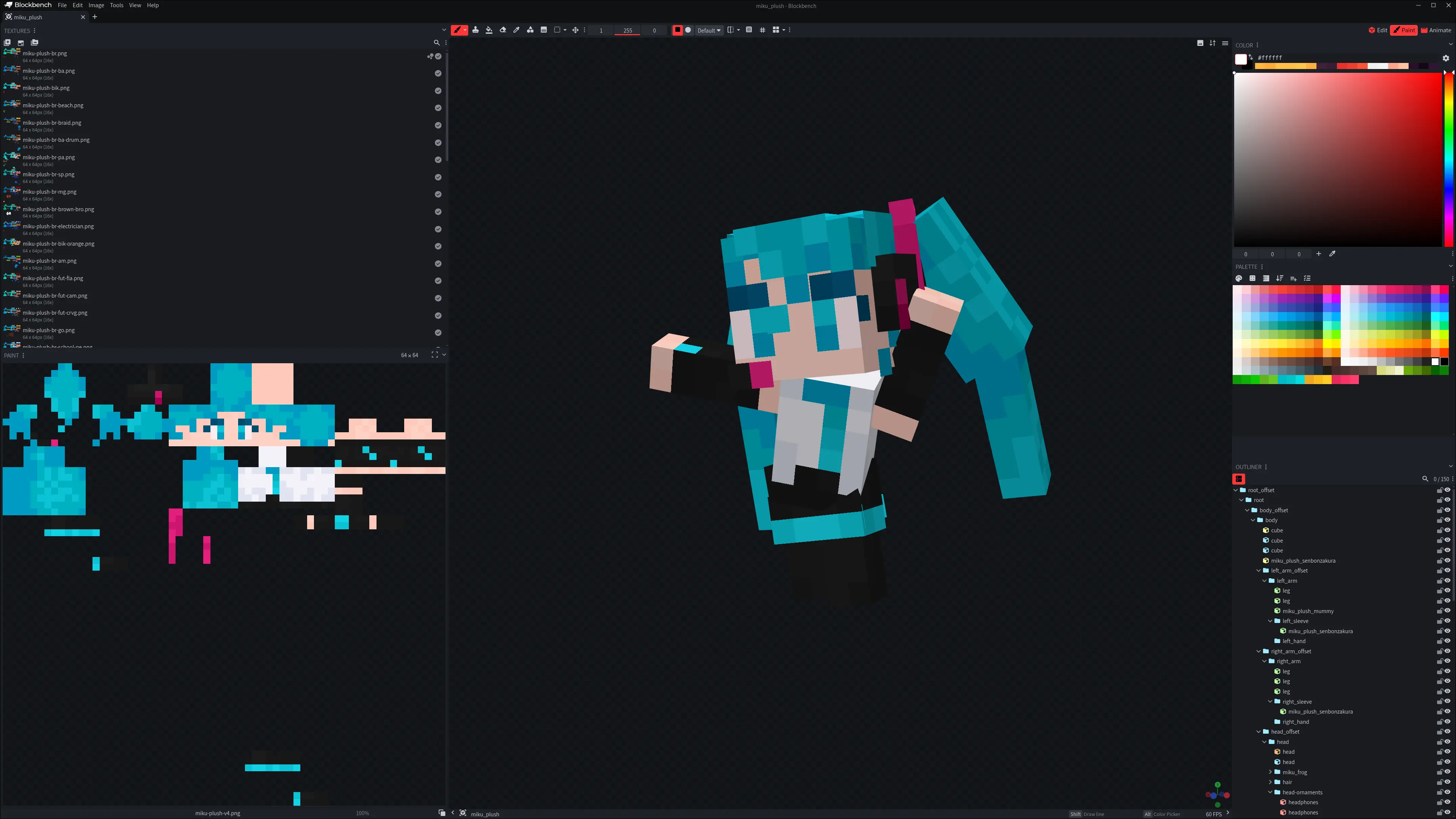
As it’s tradition on the software making world, we all love seeing the 1.5.1 turn into 1.5.2, but when you go from 1.9.5 to 2.0.0 you are in for an absolute treat. New features, overhauls, you name it, it always means that we are getting some big stuff our way, unless we’re talking Linux kernel version numbering.
I wasn’t happy with a lot of the areas of the mod, which meant that this milestone came at a really convenient timing. My coding skills aren’t the sharpest and since I’m self-taught my fundamentals aren’t really there, results come first to me, but this was very fun regardless of that. The fact that I’m even bothering to write this out itself a proof that this wasn’t a small task, but what exactly was the big thing worth of such a fuss? You see, it isn’t about one thing, but several.
Texture Rework#
If you noticed that the Plush textures from the last couple updates were a bit better, that’s thanks to my Wife™. Pixel art doesn’t benefit from noise, or soft brush strokes, that’s basically what she said to me, and she is goddamn right because my Wife™ is a wonderful 2D artist. By using fewer colors, and hue shifting, it made a big difference, it was hard to believe that this little info made me so much better, but now we have a big problem.
For a couple updates I pretended to not care about it, but then I gave a shot on re-working the Brazilian Miku and here’s a comparison:
| Old :( | New and much better Miku :D |
|---|---|
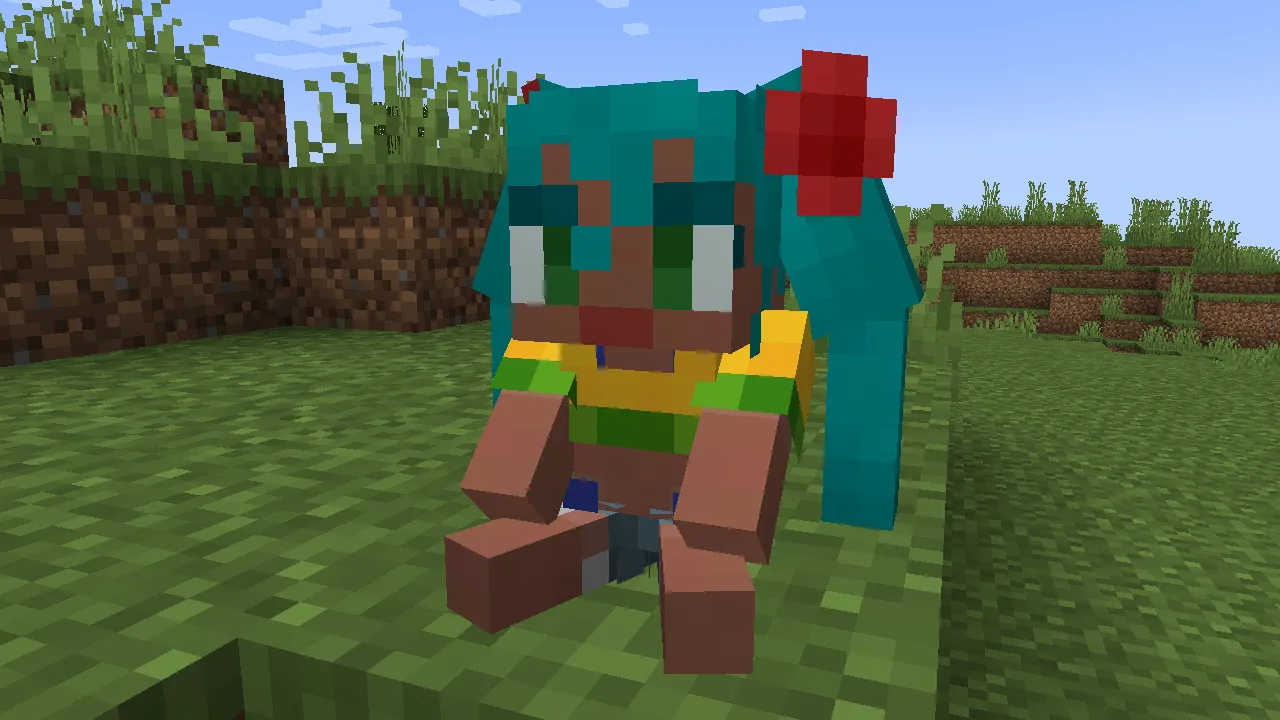 | 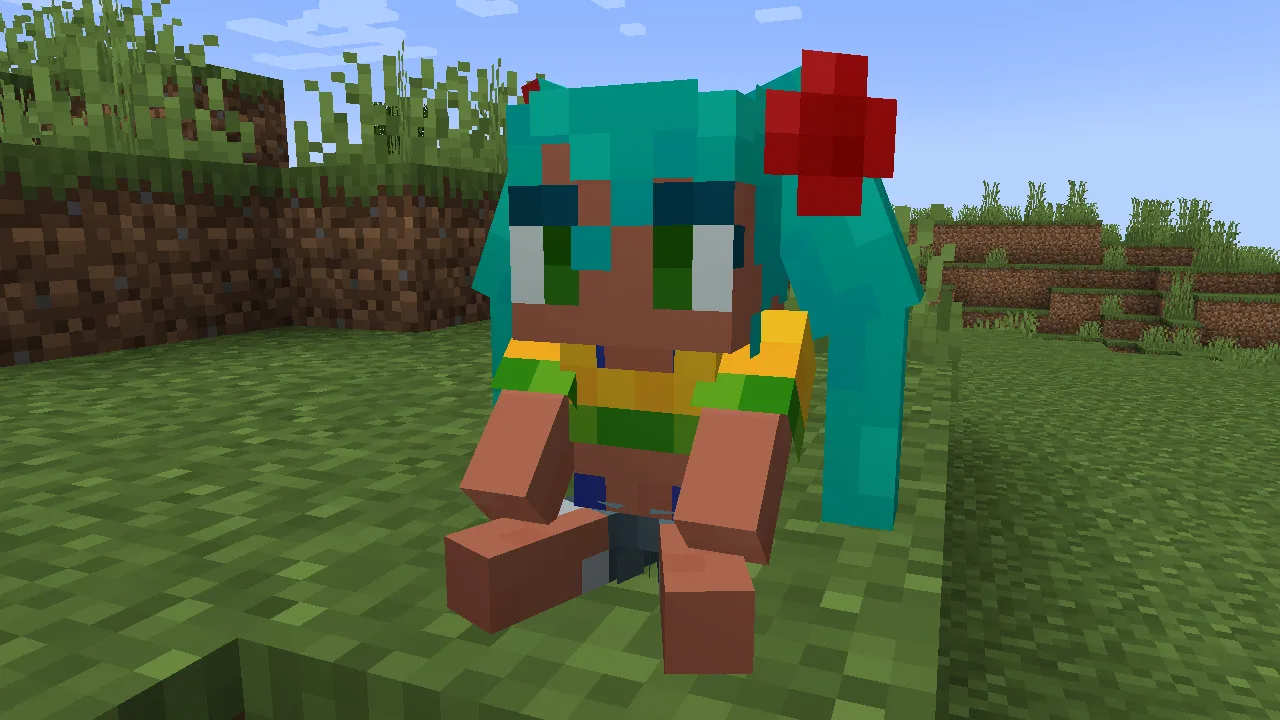 |
Just look at it, there’s no way these the old stuff is staying as the default look on my plushies.
Gone are the days of using Krita’s HSV filter to get the hair similar enough to the reference, we now use the paint bucket baby, and we don’t just use the color picker blindly. Since I’m not a fan of the almost paperwhite skin, present on the hit 2020 gacha game Genshin Impact, and it also doesn’t work very well with Minecraft’s colors in my opinion.

And believe it or not, but that actually made my painting process faster, since now it’s all done inside Blockbench. No fancy stuff needed, just select the color and paint bucket1 it, the base gets done in no time, and it also makes so much easier to change the colors after the fact.
The Plush Entity#
By far the most important feature on this update is Miku Herself. She’s cute, silly and will help you kill stuff, she’s a certified good girl in all metrics, and the most complicated thing that I’ve done so far.
Miku needed a lot of tech to be in place, but not any kind of tech, dynamic code is the name of the game here. I’ll talk some more about specifics in a second, but the main thing to nail with her implementation is that it needs to be as maintenance free as possible, not in bug free because that’s impossible.
This mod does have a heck ton of content, and it isn’t fun to write the same thing on 5 different files. Imagine that you end up finding a bug, where two very similar words are swapped in the middle of a wall of text, that would’ve been very sad, I know it from experience. So, we need automation, let the computer do the boring part, while we do the fun stuff.
Entity Models#
If there’s one thing that Bedrock edition does right, is that entity models aren’t hardcoded, just like regular blocks after the 1.8 update from 2014, and As I said before:
dynamic code is the name of the game here.
4ny - a couple paragraphs above
Hardcoded models aren’t dynamic at all, even if it hot reloads this is something which is objectively wrong to me. GeckoLib is an amazing library which solves these problems to me, instead of hardcoding stuff it’s all on the resource pack like it should. There’s always something wonky when converting stuff from block to entity model, so the faster I can see my changes in-game the better.
If you think that I’m exporting a separate model for each variation, you couldn’t be more wrong, just like all companies are shoving AI on us, I’m also shoving as many different variations on each model as possible.
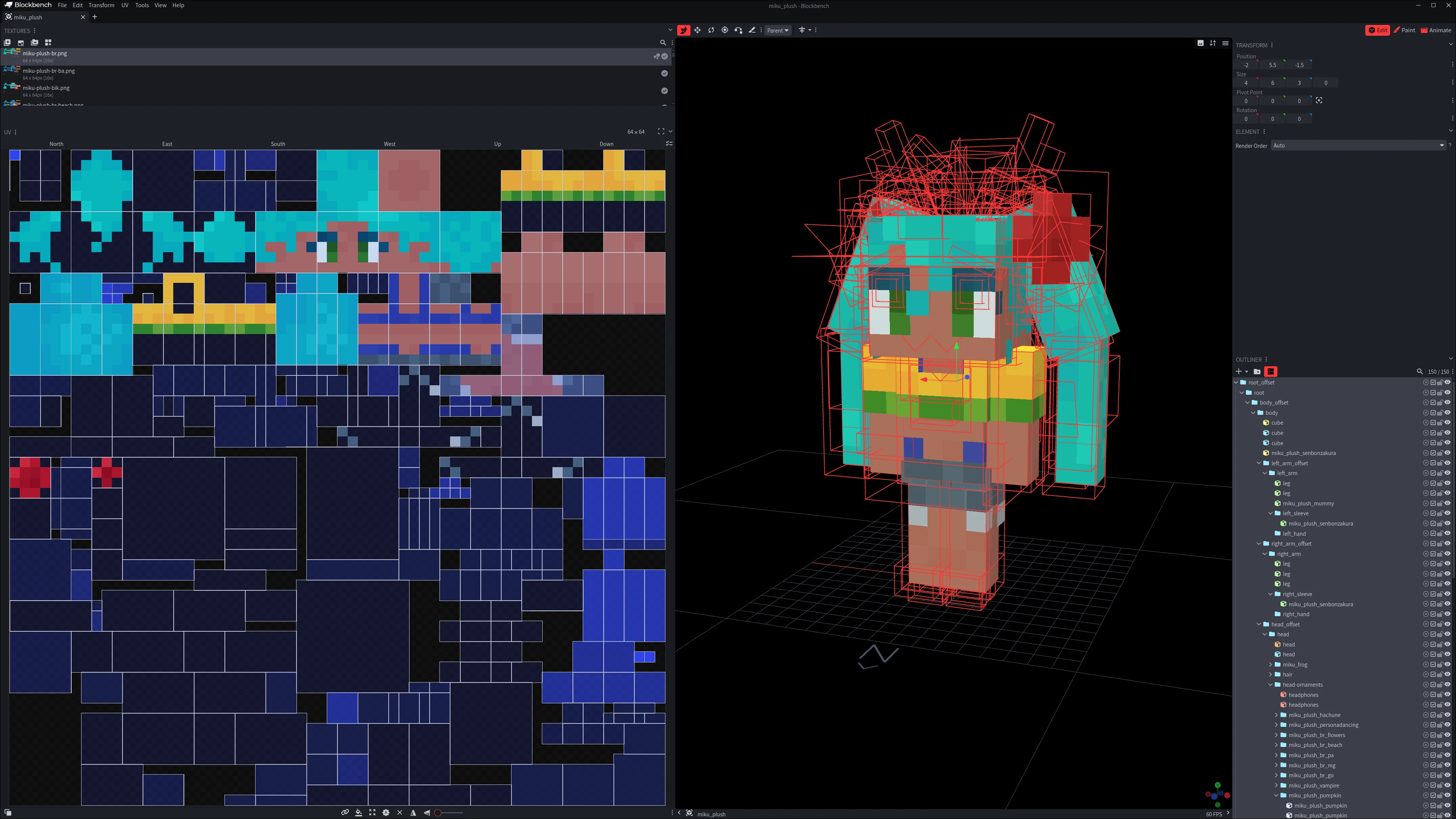
You can fit so many variations on this bad girl
While making sure to avoid UV collisions from the block model on the entity model is boring, it’s much easier than managing a heck ton of files. Since I can’t reduce the texture size of the plushies from
64x64, let’s at least make good use of the free space.Entity Animations#
Another thing Bedrock Edition does right is MoLang, even a broken clock gets the time right twice a day. I personally find it much faster to use math expressions to animate my stuff, since it’s all contained on a singe keyframe and my current equation is very robust:
1math.sin(query.anim_time * (360 * 2) - (45 * 0)) * 60 + 90This is a sine wave where
query.anim_timemeans the time that’s always counting, but why did I write(360 * 2)instead of 720? because it’s easier to me of course.(360 * 2)Means a full loop twice a second, this is the frequency,(45 * 0)is the phase, this is used to make effects like the hair dangling around:
Notice how both parts of the hair rotate but the bottom one lacks behind. If you look closer, you can see that this isn’t the only place where it’s being used on this animation.
As for
* 60it’s how much the bone will rotate around, the amplitude,+ 90is the offset from the rest pose, these are the most important values by far.To be fair with Java Edition, it does have a very good piece of tech that’s very useful, specially for walking animations.
limbSwingandlimbSwingAmountare two variables which coordinate frequency and amplitude of an animation respectively, that’s why when you get a speed effect your limbs move faster and farther away from walk speed. This is used on every vanilla entity, and I’m not missing out on it, but since morph mod doesn’t keep updating these for GeckoLib I had to get creative.Overwriting the head bone rotation is already used to make the entity look at the right direction, so why limit ourselves just to that?. Put the limb animations there too, and since these overwrite all animation, we create a double bone,
left_arm_offsetis handed to the procedural animation, whileleft_armwhich is a child of it is the one being animated via MoLang. There’s some special cases where we don’t want the procedural animation, so there’s some basic checks to avoid weird movement.All plushies share the same animation file as well as the procedural animations, we don’t need multiple files if we can pull what we need from a central place. It’s also much cleaner to update the generic animations, since there’s risk of leaving one of the plushies using an old animation by mistake.
Entity Variations#
No, Minecraft doesn’t have a different entity for each color of cat, these are variations of the same entity, a texture swap. But as you saw before, the Miku model is pretty much full of details already, not much room for adding new stuff, sadly we have to hardcode some variations to use a 2nd model file. When you have a big cube it takes a lot of texture space, we need to avoid that as much as possible to keep down on hardcoded stuff.
Simplifying the Workflow#
For loops and helper methods are my best friends now, this should’ve happened a lot sooner, but now that my project is getting big it’s basically required. Let’s get to some examples shall we?
| |
This is how I used to register the plush blocks, doesn’t look like a problem, if it wasn’t for the fact that this is repeated 50+ times in the file, with only the names changing. This is the perfect candidate to a helper method, and that’s what I did.
| |
Much better, the helper method is handling all the duplicate stuff for me, the 2nd argument on registerPlush() changes the block sound from anything else than wool.
And that’s not all of it, I’ve got rid of so many steps on my workflow by using helper methods and loops. Here I’m listing what’s the minimum steps needed to add a plush, all of these still need to be done, but now I don’t need to bother with most of it.
| Old workflow | New Workflow |
|---|---|
| Update Lang Files | Manual |
| Register Plush Block | Manual |
| Register Plush Item | Automated |
| Add Plush Item to Item Group | Automated |
| Register Block State For Datagen | Automated |
| Register Plush Block Loot Table | Automated |
| Register Recipe For Datagen | Manual |
| Assign Item Tags | Automated |
| Assign Cutout Render Layer | Automated |
By creating lists of the item and block objects I can register most stuff automatically, for example, look at how I’m handling loot tables now:
| |
We get the blocks list and the items list, and since these are in the same order and have the same size there’s no need to check if the objects match.
The sound registry wasn’t completely automated yet, but I’ve made some serious improvement to it. By making it a list it’s now possible to search stuff inside it, and that possibilitates dynamically picking up the right sound from the list without hardcoding:
| |
Get the block id, then use my awesome function to get the right sound event form the block id as well as the desired action, all that rest is to play it. While registering the sounds isn’t automatic yet, retrieving the right events is, and I consider that a win.
Quality control#
Seeing all my work all at once is very important to ensure nothing is widely broken or inconsistent, but going through all plushies checking for mistakes one by one is boring, so I don’t. Instead /spawn_mikus was created so it was possible to see all third person item displays, block models and entities all at once, much easier than placing down each block and spawning each entity. Being able to fly through all the models made it really easy to spot problems, I can take a look at models in relation to each other, inspect it real close, just a command away.
Thank you for reading :D#
Hey, thank you so much for reading my blog post, I’m not a very good writer at all, but sure hope that you were able to understand what I was trying to say. Minecraft modding is a very fun hobby that I love doing, being able to make my creating process much faster by removing the boring parts, come on that’s awesome. And on top of that I’ve learned some java stuff that might be useful later on. I love working on this project and I hope that you enjoy having Miku fighting by your side while eating a bunch of leek.
My paint bucket is mainly set to replace the selected color on the entire image instead of a contiguous area ↩︎